The National Examination Board has published the Class 10th SEE result on 28th Baisakh 2083 (12th May 2026). Students who appeared in the SEE 10th exams 2026 can access their results online from the official website of NEB – see.gov.np. Students will need to enter their credentials like – symbol number and date of birth to check their results. The SEE 10th exams started on 19th Chaitra 2082 and ended on 29th Chaitra 2082.
SEE Result 2082/2083
The result of the Secondary Education Examination SEE Class 10 exam is an important event for students, as it marks the end of their school education and sets them on the path to their chosen careers. The SEE Result 2083 has been released on 28th Baisakh 2083 (12th May 2026), and students can now check their results online. A SEE grading system is used by the NEB board to evaluate students’ performance. The grading system in SEE Result 2026 is based on a 4-point scale, with grades ranging from A plus to D.
The SEE Result is published after the completion of the examination and result processing. Students should check the official website of the National Examination Board (NEB) for updates on the SEE result 2083. You can also follow us for the latest news and updates related to the result publication.
SEE Class 10 Result 2083/2082
SEE Class 10 Result 2083 has been published by the Office of the Controller Examination NEB. The SEE Class 10 result date and time is given below. Students must check these dates and keep track of all the important events related to the SEE result 2083.
| Board Name | National Examination Board NEB |
| Exam Name | SEE Class 10 Exam 2082-2083 |
| Result Name | SEE Result 2083 |
| Academic Session | 2082 2083 |
| SEE Exam Date | 19th Chaitra 2082 to 29th Chaitra 2082 |
| SEE Result Date | 28th Baisakh 2083 (12th May 2026) |
| Total Students | 430,667 |
| SEE Result website | see.gov.np see.ntc.net.np |
SEE Result 2082/2083 National Wise Statistics
According to the NEB result data, a total of 430,667 students were included in the national SEE result record. Out of them, 284,160 students passed, while 146,507 students received NG. The overall pass percentage of SEE Result 2082/2083 is 65.98%.
| Grade Group | Total Students |
|---|---|
| GPA 1.60 To < 2.00 | 7 |
| GPA 2.00 To < 2.40 | 5,190 |
| GPA 2.40 To < 2.80 | 55,777 |
| GPA 2.80 To < 3.20 | 94,222 |
| GPA 3.20 To < 3.60 | 80,372 |
| GPA 3.60 To < 4.00 | 42,892 |
| NG | 146,507 |
| Total | 430,667 |
SEE Result 2082/2083 Summary: Total passed students: 284,160, total NG students: 146,507, and total pass percentage: 65.98%.
How to Check SEE Result 2083 with Marksheet Via SMS
Candidates can also check the NEB result via SMS along with the official website link. Follow the steps given below to check the NEB Class 10 SEE Result 2083 via SMS.
Step 1 – Open the mobile application in the phone
Step 2 – Type “SEE (space) Symbol Number” in the given format.
Step 3 – Now, send the message to the number 1600.
Step 4 – Candidates will receive the NEB board SEE result 2083 on the same number
SEE Result 2083 Nepali Date And Time
The Class 10 SEE Result 2083 has been declared on 28th Baisakh 2083 (12th May 2026). Students can now check their result from the official OCE and NEB result websites using their symbol number and date of birth.
see.ntc.net.np 2083 result Class 10 Marksheet
The see.gov.np result Marksheet 2083 will include the marks and grades obtained in all subjects, including compulsory subjects such as English, Nepali, Mathematics, Science, and Social Studies. Students must pass each subject with a minimum passing grade to be deemed eligible for higher secondary education. You can check the SEE results Marksheet on see.gov.np.
It is critical for students to pay close attention to their see.gov.np 2083 Result, as it will determine their future academic pursuits. Students who perform exceptionally well in the SEE will have a greater chance of being admitted to reputable higher secondary schools and colleges. Therefore, students should strive to perform to the best of their abilities and make the most of this opportunity.
How to check SEE Result 2083 through IVR
Another way to check the SEE Result 2083 is through Interactive Voice Response (IVR). Here are the steps:
- Dial 1600 from your mobile phone
- Follow the instructions and enter your symbol number
- You will receive your SEE Result via IVR
Details Mentioned in SEE Result 2083
National Examination Board will provide online see.gov.np 10th result 2083 in the form of a provisional mark sheet. Students should ensure the accuracy of the details, since they will be printed on the original mark sheets. These details will be included in your Class 10 SEE result 2083:
- Student name
- School name
- Registration number
- Symbol number
- Faculty/Stream
- Subject-wise Grade GPA
- Subject-wise theory and practical obtained grade
- Subject-wise total GPA
- Aggregate GPA
- SEE Class 10 result Grade
How to Check SEE Result 2083 @see.gov.np?
1] Visit the official website of 10th result 2083 SEE, see.gov.np
2] The SEE result 2083 window will open in the new tab.
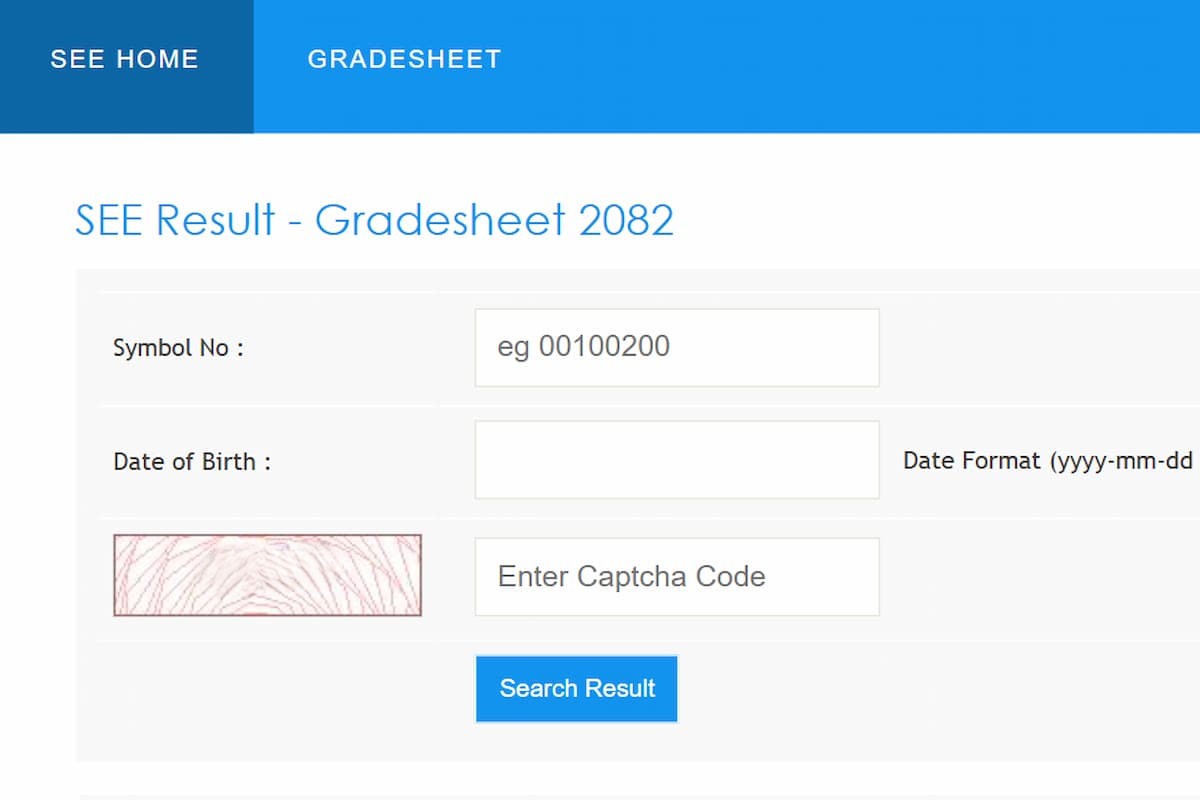
3] Enter your SEE symbol number and date of birth in the space provided.
4] Review all details carefully and click on the ‘Submit’ button.
5] SEE 10th exam result 2083 comprising the subject-wise grade and GPA will be displayed on the screen.
6] Download a copy of the SEE Class 10 result 2083 and keep it safe for future reference.
SEE Result 2083 Grading System
| Percentage | GPA | Grade Remarks |
| 90-100 | A+ | Outstanding |
| 80-89 | A | Excellent |
| 70-79 | B+ | Very Good |
| 60-69 | B | Good |
| 50-59 | C+ | Satisfactory |
| 40-49 | C | Acceptable |
| 30-39 | D+ | Partially Acceptable |
| 20-29 | D | Insufficient |
| 01-20 | E | Very Insufficient |
Link To Check Class 10 SEE Result 2083
| To Check SEE Result | Click here |
| Homepage | allresultnp.com |